
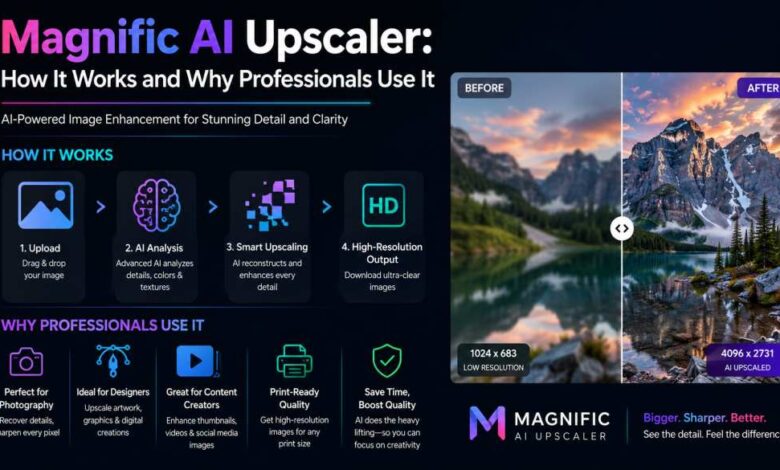
The AI upscaler that gave Magnific its name remains one of the most technically capable image enhancement tools available in 2026. While the platform has expanded into image generation, video, audio, and agentic workflows, the upscaler continues to be a core reason many professional studios and individual creators use the platform.
This guide covers exactly how Magnific‘s upscaling technology works, what makes it different from alternatives, and the specific use cases where it delivers the most value.
What AI upscaling is and why it matters
Traditional image upscaling, the kind built into Photoshop and most image editors, works by interpolating between existing pixels. The result is a larger image with the same information, which means blurriness and softness that become more visible at higher magnification levels. AI upscaling works differently: it uses deep learning to predict what additional detail would plausibly exist in a higher-resolution version of the image, then generates that detail.
The practical difference is substantial. A well-executed AI upscale at 4x can look sharper and more detailed than traditional upscaling at 2x. At 8x and 16x, the gap is even larger. For professional use cases where images need to hold up at large print sizes, exhibition displays, or high-resolution digital formats, this matters significantly.
Magnific’s specific upscaling capabilities
- Up to 16x magnification: The platform supports enlargement up to 16x the original dimensions, taking a 1024px image to over 16,000px. The practical ceiling depends on source image quality.
- Precision mode: Faithful upscaling that adds resolution without creative embellishment. The AI reconstructs detail consistent with the original image without adding interpretive elements. The right choice for product photography, portraits, and any image where the original content needs to be preserved accurately.
- Creativity mode: The AI adds stylistically consistent new detail that was not in the original. This works well for artistic imagery, landscapes, and illustrations where enhanced texture and detail are acceptable or desirable.
- Skin Enhancer: A mode specifically optimized for portrait upscaling that reconstructs skin texture, hair detail, and eye clarity with specific attention to the characteristics of human portraiture.
- HDR enhancement: Increases perceived dynamic range, which improves the visual quality of upscaled images in large-format contexts.
How it integrates with generation
When used alongside Magnific’s image generation tools, the upscaler creates a single-platform workflow from prompt to print-ready output. Generate at the model’s native resolution, review and select the strongest output, apply the appropriate upscaling mode, and export at the target resolution. The generation and upscaling steps happen within the same workspace without file export and re-import between tools.
The Magnific AI image generator feeds directly into the upscaling pipeline, allowing creators to go from text prompt to large-format output without leaving the platform.
Use cases where the upscaler delivers the most value
| Use case | Recommended mode | Typical upscaling factor |
| Print advertising (poster/billboard) | Precision | 4-8x |
| Editorial illustration for print | Creativity | 4-8x |
| Portrait photography for large display | Skin Enhancer | 4-8x |
| Product photography for e-commerce zoom | Precision | 2-4x |
| AI-generated art for gallery/exhibition | Creativity | 8-16x |
| Architectural visualization for presentation | Precision | 4-8x |
| Fashion photography for magazine | Skin Enhancer + Precision | 4-6x |
What it cannot do
Honest limitations: AI upscaling reconstructs plausible detail from a good source image. A blurry, noisy, or heavily compressed source will produce a better-looking blurry, noisy, or compressed result, not a sharp one. The technology cannot recover detail that was never captured. The highest-quality upscaling results come from the highest-quality source images.
Where it fits in a real workflow
The most useful way to understand AI upscaling as a finishing and reconstruction step is to place it inside a complete job. The process begins with the highest-quality source available, viewed at full size and checked for compression, blur, unwanted text, and facial errors. From there, the team can define the target dimensions, choose a conservative or creative treatment, test a crop, inspect detail at 100 percent, and upscale the full image only after approval.
The expected outputs may include print-ready files, sharper campaign crops, restored archival material, enlarged concept art, and higher-resolution e-commerce imagery. This framing matters because the value of an AI tool is not the number of buttons it exposes; it is the amount of finished, approved work it helps people deliver with less friction.
The operational advantage is that AI reconstruction can create plausible high-frequency detail instead of merely stretching the pixels already present. That benefit becomes visible only when the team agrees on what enters the workflow, who makes creative decisions, and what counts as finished. A prompt is therefore not a substitute for a brief. The strongest results usually come from combining a precise objective, good reference material, explicit constraints, and a review process that protects the intent of the work.
A practical step-by-step approach
- Define the outcome. Start with the highest-quality source available, viewed at full size and checked for compression, blur, unwanted text, and facial errors. Write down the audience, channel, dimensions, deadline, and the decision the asset must support.
- Create a small test. Use a representative task rather than a spectacular edge case. Keep the first batch limited so that comparison remains clear and affordable.
- Run the production sequence. In practical terms, this means: define the target dimensions, choose a conservative or creative treatment, test a crop, inspect detail at 100 percent, and upscale the full image only after approval. Change one important variable at a time whenever possible.
- Review at delivery size. Inspect text, hands, faces, product details, continuity, cropping, compression, and brand elements where relevant. A thumbnail can hide expensive defects.
- Save the learning. Record the prompt, references, model, settings, credit use, edits, and approval notes. Reusable knowledge is often more valuable than a single lucky result.
Quality control and human judgment
The central failure mode is confusing plausible detail with authentic detail, especially in faces, products, typography, architecture, or evidence-sensitive imagery. Human review remains necessary because generative systems optimize for plausible output, not for the full business, legal, or narrative context. A polished image or clip may still misrepresent a product, contradict a brand rule, introduce unwanted symbols, or fail in the final layout. Review should be tied to the intended use, with stricter standards for paid media, packaging, identity, claims, children, regulated categories, and public figures.
A useful approval checklist asks five questions: Is the idea on brief? Is the subject or product accurate? Does the asset remain coherent at full resolution? Are rights, consent, disclosure, and provenance handled appropriately? Can another team member reproduce or adapt the result? If any answer is unclear, the asset is still a draft. This discipline prevents speed at the generation stage from creating slower corrections later.
How to measure whether it is working
Measure the workflow, not the volume of raw generations. Relevant indicators include artifact rate, manual retouching time, print acceptance, identity or product accuracy, processing cost, and output size. Establish a baseline from the current process first, then compare a representative pilot. The comparison should include briefing, generation, review, manual editing, export, and administration. Excluding the finishing work makes an AI workflow look cheaper than it really is.
Quality and speed should be read together. A faster first draft has limited value if approval takes longer or if designers must rebuild the output. Conversely, a workflow that produces fewer but more reusable masters can outperform one that generates hundreds of disposable variations. The goal is not maximum content. It is a higher proportion of useful content delivered with a predictable level of effort.
Who should adopt it, and how to start
This approach is best suited to professionals who need large outputs and can review the reconstructed details critically. It is less compelling for work where every pixel must preserve documentary or forensic truth without inferred content. That distinction is important because AI platforms create the most value when their breadth matches the user’s recurring needs. Buying more capability than the workflow can absorb adds complexity; choosing too narrow a tool can create fragmented subscriptions and repeated handoffs.
The safest starting point is a two-week pilot built around one recurring deliverable. Assign an owner, cap the budget, define acceptance criteria, and keep examples of both successful and rejected outputs. At the end, decide whether to stop, refine the workflow, or expand it. This produces better evidence than an open-ended trial and gives the team a practical foundation for training, governance, and future automation.
The broader takeaway
Ai upscaling as a finishing and reconstruction step should be evaluated as a change in production practice, not merely as access to another generator. The lasting advantage comes from how people combine direction, model choice, iteration, finishing, and shared knowledge. Tools will continue to change; a team that can brief clearly, test systematically, judge quality, and preserve what it learns will be able to benefit from those changes without rebuilding its process every time a new model appears.
FAQs
What is the maximum resolution Magnific’s upscaler can produce?
The upscaler supports up to 16x magnification. From a 1024px source image, this produces approximately 16,000px output. From a 2048px source, the output reaches approximately 32,000px. File size at these dimensions is large and requires appropriate storage and handling.
Does upscaling change the content of the original image?
In Precision mode, no. The upscaler adds resolution without altering the composition or content of the original. In Creativity mode, the AI adds new detail that was not in the original image, which can subtly change the visual character of the output.
Can the Magnific upscaler handle video as well as images?
Yes. Magnific also offers AI video upscaling, which applies similar reconstruction technology to video frames to increase output resolution for existing video content.
